

Download TweetCaster – Twitter with simultaneous Facebook posting
Overview
TweetCaster is a mobile social media application designed for Android devices, offering a streamlined experience for managing Twitter accounts. The app enables users to post, retweet, and interact with content across multiple Twitter profiles, supporting simultaneous posting to Facebook—a notable feature for users managing cross-platform content. Its primary purpose is to simplify social media management by consolidating account access, timeline navigation, and content sharing in a single interface. Target users include individuals and professionals who maintain active social media presence across platforms, particularly those seeking a free, accessible tool without complex setup.
The app supports multiple account management, allowing users to switch between profiles seamlessly. Features such as direct messaging, mentions, and list access are integrated through intuitive icons, enhancing workflow efficiency. While the developer, TweetCaster, is listed, no additional information about the company or its background is provided. Real-world usage scenarios include daily content updates, trend monitoring, and quick response to user interactions—all executed within a lightweight Android environment.
Key Features & Capabilities
- Multi-Account Support: Users can link and switch between multiple Twitter and Facebook accounts, enabling efficient cross-platform management without logging in and out repeatedly.
- Simultaneous Facebook Posting: A standout feature allowing tweets to be shared directly to Facebook, reducing the need for separate posts and saving time.
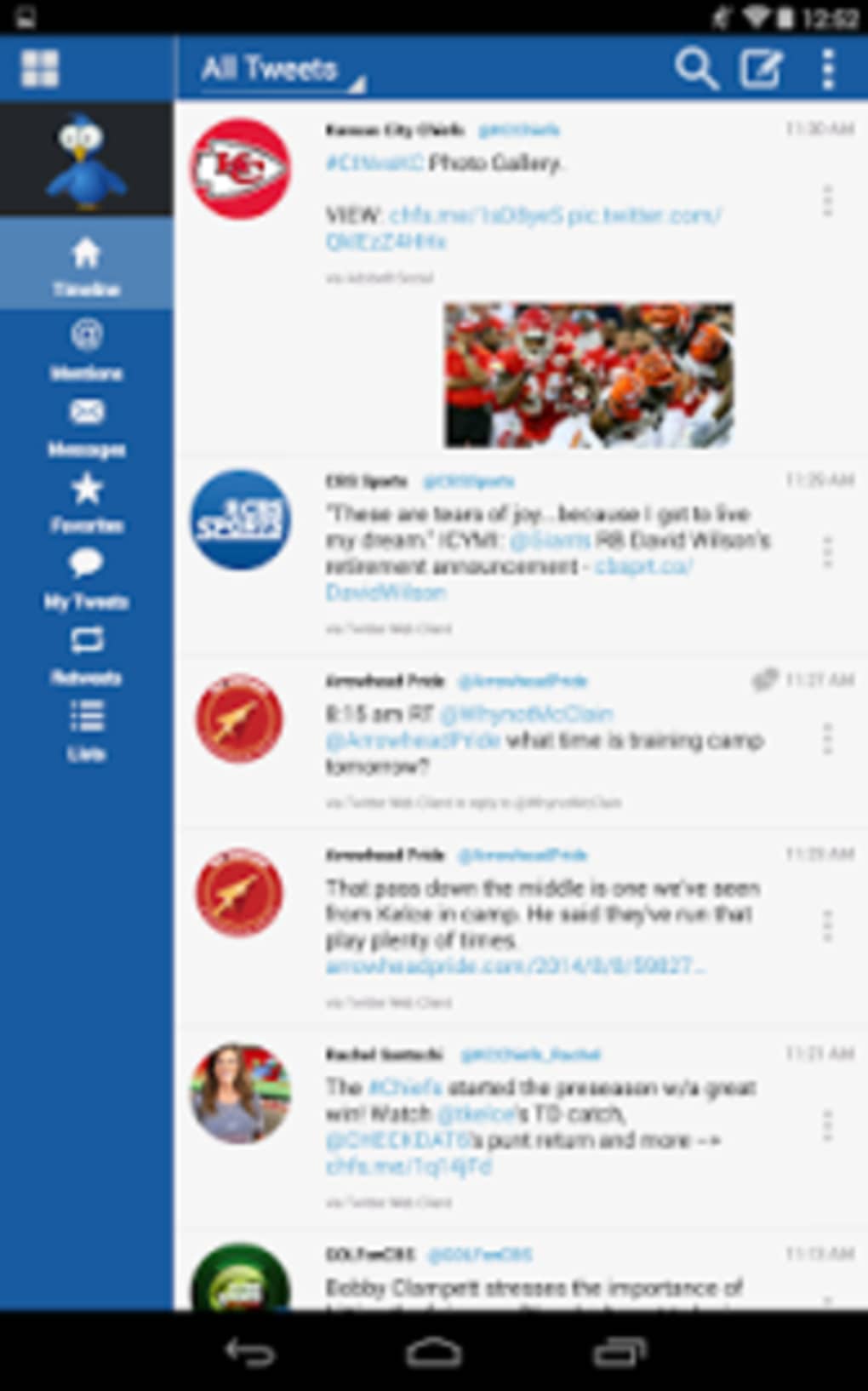
- Fast Timeline Navigation: The app offers smooth, glitch-free scrolling and access to home timelines, mentions, direct messages, and lists via top navigation icons.
- Quick Tweet Interface: A dedicated button in the top-right corner enables instant posting, streamlining content creation and reducing steps in the workflow.
- Customizable Settings: Users can personalize appearance, choose URL shorteners, and select image hosting services, tailoring the app to individual preferences.
- Search and Discovery Tools: Built-in search functionality allows users to find tweets, users, and location-based content, supporting real-time engagement.
These features collectively enhance productivity for users who manage social media regularly. For example, a content manager can draft a tweet and post it to both Twitter and Facebook simultaneously, while monitoring replies and mentions in one place. The ability to switch accounts quickly is particularly useful for influencers or agencies managing multiple brands.
User Interface, Workflow & Performance
TweetCaster features a clean, icon-driven interface optimized for mobile use. Navigation is centered around top-bar icons for home, mentions, direct messages, and lists, with a dedicated tweet button in the top-right corner. The layout prioritizes accessibility, allowing users to switch between accounts and perform core actions with minimal taps. The workflow is straightforward: open the app, select an account, and begin posting or browsing.
Performance is described as fast and glitch-free during timeline navigation, suggesting efficient rendering and responsiveness. However, specific details on CPU or RAM usage were not provided. The app’s lightweight size of 12.4 MB indicates minimal storage impact. Stability is implied through the absence of reported crashes or lag in the description. General performance behavior aligns with typical Android social apps, though exact benchmarks were not specified.
Compatibility & System Requirements
TweetCaster is designed for Android operating systems, with the current version labeled as 7.4.3. The installation size is 12.4 MB, indicating a compact footprint suitable for devices with limited storage. No specific hardware requirements are mentioned, and exact compatibility details beyond OS support were not listed. The developer did not provide additional system requirements, so users should ensure their device runs a compatible Android version, though the exact minimum version is not stated.
Given the app’s lightweight nature and mobile-first design, it is likely compatible with most modern Android devices. However, users should verify their device’s OS version and available storage space before installation. No information was provided regarding support for older Android versions or tablet devices.
Pros and Cons
Pros
- Free to download and use with no hidden costs
- Supports simultaneous posting to Twitter and Facebook
- Intuitive, icon-based navigation for fast access to key features
- Lightweight at just 12.4 MB
- Multi-account management with easy switching
- Customizable settings for URL shorteners and image services
Cons
- No information on minimum Android version or hardware requirements
- Ad-supported model may impact user experience with frequent ads
- Interface design is described as functional but not visually striking
- Limited detail on performance under heavy usage or low-memory conditions
- Unsupported on non-Android platforms
FAQ Section
Is TweetCaster available for iOS devices?
TweetCaster is currently designed for Android operating systems. There is no official version available for iOS devices.
Can I use TweetCaster without an internet connection?
The app requires an active internet connection to post, retrieve, and interact with social media content. Offline functionality is not supported.
Is TweetCaster safe to download and use?
As a free app available on official Android channels, TweetCaster is considered safe. However, users should download it from trusted sources to avoid potential risks.
How often does TweetCaster receive updates?
Updates are released periodically, with the latest version (7.4.3) published on March 27, 2024. The release included minor bug fixes.
Does TweetCaster require a license or subscription?
No, TweetCaster is free to use with no subscription or licensing fees. It is supported by advertisements.
Final Thoughts + CTA
TweetCaster delivers a practical, ad-supported solution for Android users seeking a reliable Twitter client with cross-platform posting capabilities. Its multi-account support, fast navigation, and simultaneous Facebook posting make it a strong contender for individuals and professionals managing multiple social profiles. While the interface may not stand out visually, its functionality and lightweight design ensure smooth daily use. The free pricing model adds significant value, especially for users who want a no-cost tool with essential features.
For those who need a simple, efficient way to manage Twitter and Facebook content on Android, TweetCaster is a solid choice. Its straightforward workflow and regular updates further reinforce its reliability. Download TweetCaster now.





.png)

